AI Image-to-Video Prompts for E-commerce Product Videos
Sohel
November 6, 2025
13 min read
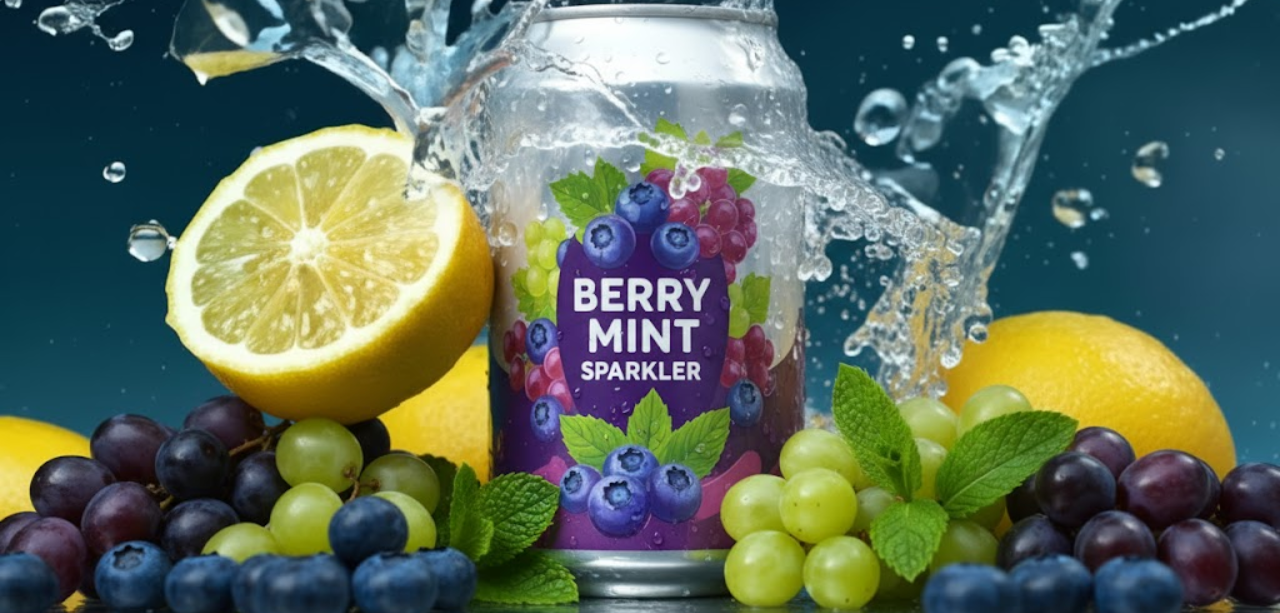
Transform your static product photography into engaging videos with AI. Image-to-video technology allows e-commerce businesses to breathe life into existing product images, creating professional motion content without expensive video shoots or complex editing software.
This comprehensive guide provides proven AI prompts that convert your product photos into high-converting videos, helping you maximize the value of your existing photography while dramatically improving engagement and sales.
You’ve already invested in professional product photography. Image-to-video AI multiplies that investment by transforming static images into dynamic content that captures attention and drives conversions.
Product videos increase conversion rates by 80% compared to images alone, and shoppers who watch product videos are 85% more likely to purchase. Traditional video production costs $1,000-$5,000 per product, but image-to-video AI achieves similar results for a fraction of the cost using photos you already own.
Leading platforms like Runway ML, Pika Labs, Stable Video Diffusion, and Luma AI have made this technology accessible to businesses of all sizes. These tools animate your product images with realistic motion, smooth camera movements, and professional transitions.
Unlike text-to-video generation, image-to-video prompts don’t describe what the product looks like—your uploaded image already shows that. Instead, effective prompts focus on three key elements:
Motion and animation – How you want the product or camera to move within the frame
Camera movements – The perspective changes like zoom, pan, orbit, or dolly shots
Environmental effects – Additions like lighting changes, atmosphere, or surrounding motion
Your uploaded image provides the visual foundation, while your prompt directs the AI on how to bring that image to life. The best results come from high-quality source images with good lighting, sharp focus, and clean backgrounds.
Your AI video quality depends heavily on your input image. Use high-resolution photos (at least 1080p), ensure proper lighting without harsh shadows, maintain sharp focus on the product, and use clean, uncluttered backgrounds for best results.
Vague prompts like “make it move” produce unpredictable results. Instead, specify exact movements: “slow 360-degree clockwise rotation,” “gentle zoom in focusing on the center,” or “smooth left-to-right pan across the product.”
Most image-to-video tools allow motion strength control. Use subtle motion for luxury and premium products to convey elegance, moderate motion for general product showcases to maintain professionalism, and dynamic motion for sports and action products to create excitement.
Your prompt should work with your image composition. If your product is centered, circular motions work well. If your product has depth, push-in zooms are effective. If you have multiple products in frame, panning movements showcase variety.
Studio product shots: “Smooth 360-degree clockwise rotation around the garment, maintaining consistent distance and focus. Subtle fabric movement as if in a gentle breeze. Professional studio lighting remains constant throughout.”
Flat lay clothing: “Slow downward zoom starting wide and ending close on fabric texture details. No rotation. Maintain a flat perspective. Soft directional lighting creates gentle shadows.”
Model photography: “Subtle camera push-in toward the subject while the model remains stationary. Gentle natural hair and fabric movement. Maintain eye-level perspective throughout. Elegant, fashion-editorial feel.”
Accessory close-ups: “Gentle orbital camera movement around the accessory, highlighting reflective surfaces and textures. Slow, luxurious pace. Emphasize material quality and craftsmanship through deliberate motion.”
Gadget studio shots: “Slow 180-degree arc from left to right, maintaining constant elevation. Highlight LED indicators with a subtle pulsing glow. Clean, tech-forward motion. Emphasize sleek design and modern aesthetic.”
Device front-facing: “Smooth zoom in from full product view to screen detail, then pull back out. The screen displays an interface with a subtle animated glow. Modern, professional pacing. Suggest premium quality through controlled motion.”
Tech accessories: “Gentle floating motion with slight up and down bob. Subtle rotation to show multiple angles. Minimal background movement. Create an impression of weightlessness and advanced technology.”
Comparison shots: “Slow left-to-right pan across multiple products. Pause briefly on each item. Maintain consistent depth of field. Professional product showcase motion with emphasis on variety.”
Product bottles and packaging: “Elegant 270-degree rotation with slight upward tilt revealing the full label and design. Gentle sparkle effects on reflective surfaces. Luxurious, slow-paced motion suggesting premium quality.”
Makeup products: “Slow zoom focusing on product texture and finish. Subtle shimmer animation on metallic or glitter elements. Soft, dreamy motion. Lighting gently shifts to highlight different product dimensions.”
Skincare bottles with droplets: “Gentle bobbing motion as if floating in water. Droplets slowly roll down the surface. Soft focus background with subtle bokeh effect. Fresh, clean aesthetic with fluid movement.”
Flat lay beauty arrangement: “Slow overhead zoom in toward the center of the arrangement. Products remain stationary. Slight rotation of the entire frame clockwise. Maintain a bird’s eye view. Instagram-worthy aesthetic.”
Kitchen appliances: “Smooth orbital camera motion, circling 180 degrees around the appliance. Maintain a consistent distance. Suggest premium build quality through deliberate, professional pacing. Clean background remains static.”
Cookware and utensils: “Gentle camera tilt from straight-on view, tilting slightly upward, revealing depth and dimension. Subtle metallic gleam animation on reflective surfaces. Maintain a professional product photography feel.”
Tableware and dishes: “Slow 360-degree turntable rotation. Products remain centered and stable. Lighting creates gentle highlights that move across surfaces. Elegant, restaurant-quality presentation feel.”
Home decor items: “Subtle push-in zoom with slight upward camera angle adjustment. Soft depth of field with background gently blurring. Warm, inviting motion suggesting comfort and quality.”
Full furniture pieces: “Wide arc camera movement from a 45-degree angle, moving 90 degrees around the furniture. Slow, deliberate pace. Maintain a slight downward angle. Showcase dimensions and proportions through controlled motion.”
Detail shots: “Slow zoom in focusing on craftsmanship details like stitching, wood grain, or hardware. Pause briefly at the closest point before slowly zooming back out. Emphasize quality and attention to detail.”
Room setting furniture: “Gentle dolly-in motion approaching the furniture in its styled environment. Subtle depth of field changes bring furniture into sharper focus. Warm, lifestyle aesthetic suggesting livable spaces.”
Rings and small jewelry: “Slow 360-degree rotation with subtle tilt revealing all angles and facets. Gentle sparkle and light refraction effects on gemstones. Luxurious, deliberate pacing. Suggest premium value through elegant motion.”
Watches: “Smooth clockwise rotation pausing at 12, 3, 6, and 9 o’clock positions. Subtle reflection movement across the watch face. Professional product showcase motion. Emphasize precision and craftsmanship.”
Necklaces and bracelets: “Gentle swaying motion as if being worn and moving naturally. Subtle rotation showing different angles. Delicate, elegant pacing. Light catches metallic elements creating natural sparkle.”
Luxury goods packaging: “Slow reveal motion with subtle opening animation. Elegant camera push-in emphasizing premium presentation. Sophisticated lighting with gentle shifts. Suggest exclusivity and high value.”
Athletic equipment: “Dynamic forward motion with slight bounce suggesting action and energy. Faster pacing than luxury products. Background blur suggesting speed. Create excitement and motivation through energetic movement.”
Sporting goods: “Rotating motion with slight wobble suggesting real-world use. Medium-fast pace. Emphasize durability and functionality through confident motion. Active, energetic feel.”
Outdoor gear: “Gentle camera orbit with subtle environmental elements like breeze effects. Suggest adventure and exploration through purposeful motion. Natural, authentic pacing.”
Packaged food products: “Slow 270-degree rotation with slight upward tilt revealing full packaging and branding. Maintain an appetizing appearance. Warm lighting shifts subtly. Suggest quality and freshness through clean motion.”
Beverages in glass: “Subtle condensation animation with gentle droplets forming. Slow zoom in, highlighting liquid clarity and color. Refreshing aesthetic. Minimal camera movement to emphasize product freshness.”
Food photography: “Gentle overhead circular motion around the plated food. Steam or heat shimmer effects rising from hot items. Slow, appetizing pace. Make viewers want to reach through the screen.”
Create more sophisticated videos by specifying multiple motion types: “Begin with slow zoom in for 2 seconds, transition to gentle 180-degree rotation while maintaining zoom level, finish with slow zoom out while rotation completes.”
Always specify direction to avoid unexpected results: “counterclockwise rotation,” “left to right pan,” “zoom in toward upper right quadrant,” or “tilt upward from horizontal to 15-degree elevated angle.”
Control pacing with clear speed indicators: “very slow, luxury-pace rotation taking full duration,” “medium-paced professional product showcase,” or “dynamic, energetic motion with quick transitions.”
Add contextual elements that enhance without overwhelming: “subtle background bokeh with warm light particles,” “gentle shadows moving across product surface,” or “soft atmospheric haze in background suggesting studio environment.”
Specify what you don’t want: “no rapid motion, no distortion, no warping of product features, maintain product integrity, no unrealistic movements, keep background static.”
Use vertical product photography with a centered composition. Keep motion simple since vertical format limits horizontal movement. Prefer zoom and tilt motions over panning. Duration should be 7-15 seconds maximum for optimal engagement.
Similar to Instagram but slightly faster pacing works well. Consider trending motion styles. Start with an attention-grabbing movement in first 2 seconds. Keep total length under 20 seconds.
Use horizontal product photography for full-screen impact. Longer, more detailed motion sequences work well (15-30 seconds). It can include multiple motion phases in a single video. More cinematic, professional pacing is acceptable.
Square crop product images before generating video. Centered composition is critical. Motion should work equally well in all directions. A 10-20 second duration is optimal.
Runway responds well to cinematic language. Include terms like “establishing shot,” “dolly motion,” and “rack focus.” Specify camera movement types familiar from film production. More detailed prompts produce better results.
Example: “Smooth dolly-in camera movement approaching product. Maintain consistent eye-level perspective. Professional product videography style. Clean, controlled motion at 24fps cinematic pace.”
Pika excels at subtle, realistic motion. Use natural language descriptions. Specify motion parameters like “motion: 3” for moderate movement. Works well with atmospheric descriptions.
Example: “Gentle rotation revealing all sides. Natural lighting with soft shadows. Subtle, elegant motion. Professional e-commerce product showcase aesthetic.”
More technical prompt structure works best. Specify motion vectors and camera parameters explicitly. Include frame consistency requests.
Example: “Orbital camera path, 180-degree arc, constant radius. Maintain sharp focus on product center. Smooth interpolation between frames. Product remains stationary in 3D space.”
Luma handles complex camera movements well. Can specify multiple motion types in sequence. Responds to creative, descriptive language.
Example: “Start with a wide establishing shot, slowly push in while beginning a gentle clockwise orbit. Accelerate rotation in the middle section. Decelerate and pull back for the final reveal. Professional commercial quality.”
Using low-quality source images – AI cannot add detail that doesn’t exist. Start with sharp, well-lit, high-resolution photos.
Requesting motion that conflicts with image composition – Don’t ask for a left-to-right pan on a centered close-up. Match the motion type to your image framing.
Over-complicating prompts – Multiple simultaneous complex motions often produce warping or distortion. Keep motions simple and purposeful.
Ignoring motion strength settings – Too much motion creates unrealistic results. Start conservative and increase gradually.
Forgetting about the first and last frames – Your source image is typically the first frame. Ensure motion completes naturally without jarring starts or stops.
Not testing different motion speeds – The same motion at different speeds creates vastly different feelings. Test slow, medium, and fast versions.
Neglecting product integrity – Ensure your prompt maintains accurate product representation. Avoid motions that distort or misrepresent features.
Select your best product photography with proper lighting and composition. Edit images for optimal contrast and color before uploading. Crop to the desired aspect ratio for your target platform. Remove any distracting background elements.
Start with basic motion prompts and gradually add complexity. Test on a few products before batch processing. Document which prompts work best for each product category. Create a prompt library for consistency across your catalog.
Group similar products to use consistent prompts. Generate multiple variations of each video. Process during off-peak hours if using credit-based tools. Organize outputs with clear naming conventions.
Review every generated video for product distortion or unnatural motion. Check that motion enhances rather than distracts from the product. Verify brand consistency across all videos. Test on actual target platforms before publishing.
Track these key metrics to optimize your image-to-video strategy:
Engagement rate – Compare video posts versus static image posts. Video typically increases engagement 2-3x.
Watch-through rate – Percentage of viewers who watch the complete video. Aim for 60%+ completion rates.
Click-through rate – Measure clicks to the product page from video posts. Quality product videos increase CTR by 50-100%.
Conversion rate – Compare conversion rates for products with video versus without. Videos typically increase conversions by 30-80%.
Return rate – Products with video demonstrations see 25% fewer returns due to clearer customer expectations.
Use these insights to refine your prompts. If watch-through rates are low, try shorter, more dynamic motions. If engagement is high but conversions are low, focus on motions that better showcase product features and benefits.
Document successful prompts organized by product category and motion type. Include notes on which products work best with each prompt style. Create templates for quick customization. Share the library across your team for consistency.
Many image-to-video platforms offer API access for automated batch processing. Create workflows that trigger video generation when new product photos are uploaded. Integrate with your product information management system. Set up approval workflows before publishing.
Train your photography team to shoot with video generation in mind. Educate marketing staff on effective prompt writing. Establish quality standards and review processes. Create feedback loops between teams for continuous improvement.
AI video technology evolves rapidly. Emerging capabilities include:
Multi-image sequences – Generate videos from multiple product angles automatically transitioning between shots
Product interaction simulation – AI-generated hands or demonstrations showing product use based on still images
Automatic feature highlighting – AI identifies key product features and creates motion that emphasizes them
Real-time personalization – Videos that adapt motion and pacing based on viewer preferences and behavior
3D motion from 2D images – Advanced depth perception creating truly three-dimensional camera movements from flat photos
Staying current with these developments ensures your e-commerce visual strategy remains competitive as technology advances.
READ ALSO:- What is Video Marketing?
Begin with your top 10 best-selling products to maximize immediate ROI. Use the category-specific prompts in this guide as starting templates. Test 3-5 motion variations per product to identify what resonates with your audience. Measure performance and iterate based on real data.
Start with free tiers or trial periods on platforms like Pika Labs or Runway ML to experiment before committing to paid plans. As you develop expertise, scale to your full product catalog.
Remember that image-to-video AI is a tool that enhances your existing photography investment. The goal is to create engaging motion content that helps customers understand and desire your products, ultimately driving more sales with less production cost.