10 Best AI Tools for Marketers in 2026
Sohel
July 16, 2026
11 min read
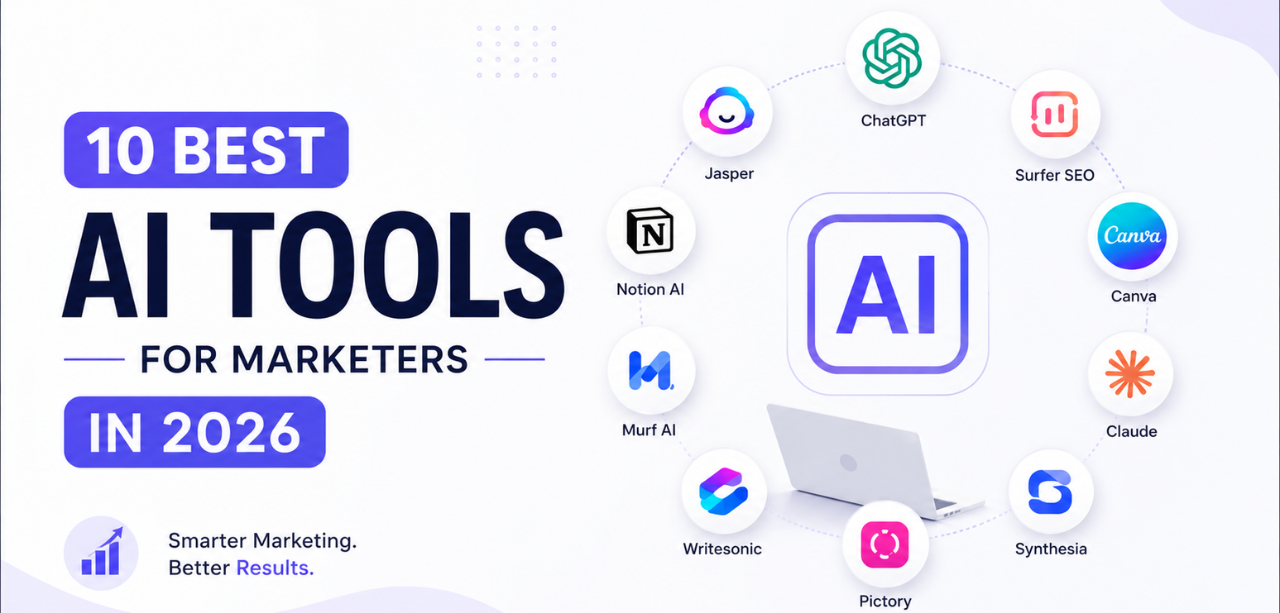
AI has moved from an experimental add-on to a core part of how marketing teams operate. In 2026, marketers use AI to write content faster, generate ad creatives, analyze campaign performance, automate repetitive tasks, and improve overall productivity. With so many tools available, it can be difficult to know which ones actually earn a place in a marketer’s workflow. This guide breaks down the best AI tools for marketers in 2026, covering what each one does, where it fits best, and what to weigh before adopting it.
What It Does A general-purpose AI assistant built on OpenAI’s language models, widely used for writing, brainstorming, and everyday marketing tasks.
Best Use Cases - Drafting email campaigns and ad copy
Key Features - Conversational content generation
Pros - Fast and versatile for almost any writing task
Cons - Generic output without strong prompting
Pricing Free tier available; paid plans unlock advanced models and higher usage limits. Why Marketers Should Consider It It’s a solid all-round starting point for marketers who need speed across many types of content.
What It Does An AI assistant known for strong long-form writing and reasoning, well suited to detailed marketing documents. Best Use Cases - Writing strategy documents and marketing plans
Key Features - Large context window for long documents
Pros - Handles long, detailed documents well
Cons - Less suited to quick, short-form social copy
Pricing Free tier available; paid plans offer higher usage and access to more capable models. Why Marketers Should Consider It Ideal when a marketing team needs polished, long-form documentation without heavy editing.
What It Does Google’s AI assistant, built to work natively across Docs, Sheets, and Gmail for marketing teams already in the Google ecosystem.
Best Use Cases - Drafting content directly inside Google Docs
Key Features - Deep Google Workspace integration
Pros - Seamless for teams already using Workspace
Cons - Most value is tied to the Google ecosystem
Pricing Free tier available; premium tiers bundled with Google Workspace or One subscriptions. Why Marketers Should Consider It A natural fit for marketing teams that live inside Gmail, Docs, and Sheets daily.
What It Does An AI-powered search engine that answers questions with cited, up-to-date sources instead of a static knowledge base. Best Use Cases - Competitor and market research
Key Features - Source-cited answers
Pros - Faster than manual research for fact-finding
Cons - Not built for long-form content creation
Pricing Free tier available; Pro plan adds more searches and advanced models. Why Marketers Should Consider It Useful whenever a campaign needs quick, verifiable research before content goes out.
What It Does Canva’s built-in AI features that speed up design work for marketers without a dedicated design team. Best Use Cases - Creating social media graphics fast
Key Features - Text-to-image generation
Pros - Very beginner-friendly design tool
Cons - Less flexible than professional design software
Pricing Free tier available; Canva Pro unlocks more AI credits and premium assets. Why Marketers Should Consider It A practical choice for marketers who need quick, on-brand visuals without hiring a designer.
What It Does An AI image generator known for producing highly stylized, creative visuals from text prompts. Best Use Cases - Concept art for ad campaigns
Key Features - High-quality stylized image generation
Pros - Produces striking, distinctive visuals
Cons - No free plan
Pricing Paid subscription plans only, billed monthly or annually. Why Marketers Should Consider It Best used when a campaign needs eye-catching, non-standard visuals early in the creative process.
What It Does An AI voice generation platform used to produce realistic voiceovers and narration for marketing content. Best Use Cases - Voiceovers for video ads
Key Features - Realistic, natural-sounding voices
Pros - Saves significant time versus hiring voice talent
Cons - Voice cloning raises usage and consent considerations
Pricing Free tier available; paid plans scale by monthly character or minute usage. Why Marketers Should Consider It Helpful for teams producing video or audio content regularly without a voice-talent budget.
What It Does An automation platform that connects marketing tools and uses AI to trigger workflows without manual work. Best Use Cases - Syncing leads between forms and CRM
Key Features - AI-assisted workflow building
Pros - Removes repetitive manual data entry
Cons - Can get costly at higher automation volumes
Pricing Free tier available; paid plans scale with number of tasks and automations. Why Marketers Should Consider It Valuable for teams juggling multiple tools who want leads and data moving automatically.
What It Does An AI-powered creative platform built specifically for marketing teams and agencies to turn ideas into ad creatives quickly, from storyboard to finished asset.
Best Use Cases - Building ad storyboards before committing production budget
Key Features - AI storyboarding for ad concepts
Pros - Speeds up the path from idea to finished ad creative
Cons - Best suited to teams with an active paid or social ad workflow
Pricing Free plan available, with paid tiers for teams needing more creative output and collaboration features. Why Marketers Should Consider It For marketers and agencies running frequent ad campaigns, it shortens the gap between a creative idea and a ready-to-launch ad.
What It Does AI features built into Notion that help marketing teams plan, document, and organize work in one shared space. Best Use Cases - Building content calendars
Key Features - AI writing and summarization inside docs
Pros - Keeps planning and documentation in one place
Cons - AI features are an add-on, not the core product
Pricing Free tier available; paid plans add AI credits and team features. Why Marketers Should Consider It Useful for keeping campaign planning, notes, and processes organized without scattering them across tools.
| Tool | Best For | Free Plan | Ideal Users |
|---|---|---|---|
| ChatGPT | Content & Strategy | Yes | Everyone |
| Claude | Long-Form Writing | Yes | Writers |
| Gemini | Research | Yes | Teams |
| Perplexity | AI Search | Yes | Researchers |
| Canva AI | Design | Yes | Social Media Managers |
| Midjourney | Images | No | Designers |
| ElevenLabs | Voiceovers | Yes | Video Creators |
| Zapier AI | Automation | Yes | Businesses |
| Dilogs AI | AI Ad Creation & Storyboarding | Yes | Marketers & Agencies |
| Notion AI | Planning | Yes | Marketing Teams |
With so many strong options, the right choice depends less on hype and more on fit. Consider the following before adopting any new tool:
The tools above help marketers create content and campaigns, but creation is only half the equation. Performoo focuses on the other half: understanding and improving advertising performance through data-driven insights. Rather than generating creatives, it helps teams make sense of the ones they already have.
How Performoo Helps Marketers - Analyze ad creatives to see what’s actually driving results
Performoo works best as a complement to creative AI tools like Dilogs.ai — one helps teams produce ad creatives quickly, and the other helps them understand which of those creatives are actually working.
The best AI tools for marketers in 2026 aren’t about picking one platform to do everything. The strongest workflows combine several tools — one for writing, one for design, one for ad creative production, one for automation, and one for performance analysis. Start with the challenges slowing your team down most, whether that’s content volume, creative production, or campaign optimization, and build an AI-powered marketing stack around those specific needs. The teams getting the most out of AI in 2026 are the ones treating it as a flexible toolkit rather than a single silver bullet.
Q1: What is the best AI tool for marketers in 2026? Ans: There isn’t a single best tool for every use case. ChatGPT and Claude work well for content and strategy, Canva AI and Midjourney cover design and visuals, Dilogs.ai handles ad storyboarding and creative production, and Performoo covers performance analysis. Most marketing teams get the best results by combining a few of these based on their specific workflow.
Q2: Are AI marketing tools free to use? Ans: Most tools on this list, including ChatGPT, Claude, Gemini, Canva AI, and Dilogs.ai, offer a free plan with usage limits. Paid tiers typically unlock higher usage, more advanced models, or additional collaboration features.
Q3: Can AI tools replace a marketing team? Ans: No. AI tools speed up individual tasks like writing, design, and research, but strategy, brand judgment, and campaign decisions still need human oversight. The tools work best as productivity multipliers rather than replacements for marketers.
Q4: Which AI tool is best for creating ad creatives quickly? Ans: Dilogs.ai is built specifically for this, offering AI storyboarding, an AI ad generator, and image-to-video generation so teams can move from concept to finished ad creative without a long production cycle.
| AI Instagram Ad Generators | AI Facebook Ad Generator |
|---|---|
| Gemini vs Copilot | Adidas Uses AI |
| AI Storyboard Generator Free | Perplexity vs ChatGPT |
Generate the next concept
Use the AI storyboard generator, connect Dilogs in Claude and ChatGPT, or check pricing.