Top 10 Features of Dilogs AI That Save You Hours of Work
Sohel
April 1, 2026
6 min read
Video creation has never been more essential, and yet for many teams, the process remains slow and repetitive. From writing scripts to editing timelines, exporting files, and maintaining brand consistency, the hours add up fast. Marketing teams, content creators, and businesses often lose valuable time to manual tasks that should be automated. That’s where modern AI tools make a real difference.
Dilogs AI is an AI-powered video creation platform built specifically to streamline every stage of the production process. By combining smart automation with an intuitive editing environment, Dilogs AI helps teams produce high-quality content faster — without the usual bottlenecks.
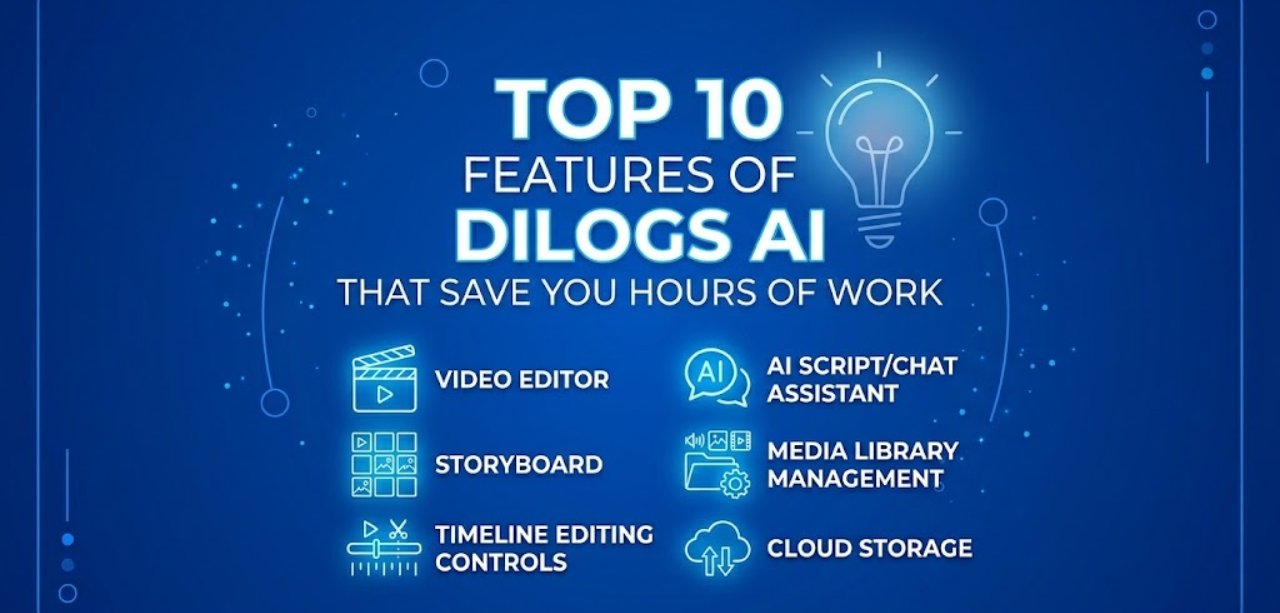
Dilogs AI provides an all-in-one video editing environment where users can create and edit videos without switching between multiple tools. Everything from trimming clips to adding text and audio happens in one place.
Problem solved: Jumping between apps wastes time and breaks focus. With a unified workspace, you eliminate setup friction.
Example: A marketing team produces a product demo from start to finish inside Dilogs AI, no third-party software needed.
Estimated time saved: 1–2 hours per video
Dilogs AI allows users to choose from multiple AI models when generating videos and images. This flexibility means you can select the model that best fits your project’s style and quality requirements.
Problem solved: Trial and error with a single AI model wastes time. Access to multiple models means better results on the first attempt.
Example: A content creator picks a cinematic AI model for a brand video and a clean graphic model for social posts.
Estimated time saved: 30–60 minutes per project
The Dilogs AI assistant can instantly generate scripts, captions, video ideas, and on-screen text based on your prompts. Simply describe what you need, and the assistant delivers a ready-to-use draft.
Problem solved: Writing scripts from scratch is time-intensive. The assistant removes the blank-page problem entirely.
Example: A social media manager types in a product description and receives a complete 60-second video script in seconds.
Estimated time saved: 45–90 minutes per project
Dilogs AI storyboard feature lets users visually map out scenes and sequences before beginning the editing process. You can organize ideas into a clear visual flow before a single clip is placed.
Problem solved: Jumping into editing without a plan leads to constant revisions and wasted effort. A storyboard keeps the production focused.
Example: A video team plans a five-scene explainer video visually, then hands it off to the editor with zero guesswork.
Estimated time saved: 1–3 hours per project
Dilogs AI gives users a centralized media library where all assets like footage, images, audio, and graphics, are stored and organized in one accessible location.
Problem solved: Searching through scattered folders and drives wastes time every single day. A structured library means assets are always a click away.
Example: A video editor pulls a previously used brand clip from the shared library in seconds instead of digging through shared drives.
Estimated time saved: 20–40 minutes per day
Dilogs AI includes precise timeline controls that allow users to trim, reorder, and arrange clips with accuracy and ease. The intuitive interface supports both quick edits and detailed adjustments.
Problem solved: Clunky or limited timeline tools slow down even experienced editors. Clean controls reduce the number of steps needed per edit.
Example: An editor trims a 10-minute interview down to a focused 90-second highlight reel without frustration.
Estimated time saved: 30–60 minutes per video
All Dilogs AI projects are stored securely in the cloud, meaning users can access their work from anywhere, at any time, without the need for file transfers or local backups.
Problem solved: Managing local files and transferring projects between devices is unreliable and time-consuming. Cloud access removes that friction entirely.
Example: A content creator starts a project on their office desktop and finishes reviewing it on a laptop from home.
Estimated time saved: 1–2 hours per week
Dilogs AI supports collaborative video editing, allowing multiple team members to work on the same project simultaneously. Feedback, edits, and updates happen in real time.
Problem solved: Passing files back and forth between team members creates version confusion and delays. Real-time collaboration keeps everyone aligned.
Example: A creative director reviews and approves scenes while the editor continues cutting — all within the same project.
Estimated time saved: 2–4 hours per project
Dilogs AI enables users to export finished videos quickly using preset format options optimized for different platforms, from social media to HD broadcast.
Problem solved: Manually configuring export settings for each platform is tedious and error-prone. Presets ensure the right format every time.
Example: A social media team exports the same video in three different formats for Instagram, YouTube, and LinkedIn in minutes.
Estimated time saved: 15–30 minutes per video
Dilogs AI allows teams to save logos, color palettes, and fonts in a brand kit and apply them automatically across every video. Brand consistency is maintained without manual configuration on each project.
Problem solved: Manually adding brand elements to every video is repetitive and inconsistent. A saved brand kit eliminates that step.
Example: A marketing team applies their full brand identity to a new campaign video in one click.
Estimated time saved: 20–30 minutes per project
Dilogs AI is built for teams and creators who can’t afford to waste time. By combining AI content creation, collaborative video editing, smart automation, and a centralized workspace, the platform removes repetitive tasks that slow production.
Whether you’re a solo creator or a full marketing team, Dilogs AI helps you move from concept to finished video in a fraction of the usual time. Businesses can scale content production without scaling headcount.
With the right AI-powered tools in place, creating professional-quality videos becomes faster, simpler, and far more consistent every single time.
Ready to create videos faster and smarter?
Start using Dilogs AI today and turn your ideas into high-quality content in minutes — not hours.
Try Dilogs AI now and experience the future of video creation.